
Learn: Accessing Client Accounts from Your Agency Account
Learn
Accessing Client Accounts from Your Agency Account
Law Firm Newswire allows authorized agencies to access their client accounts conveniently from their dashboard. Your client will have to authorize your agency to access their account by following our guide on granting access to your agency.
Remember, the use of this feature is an acknowledgment that you have read and agree to the terms and conditions of Granting or Receiving Permissions to or by Agencies and Third Parties.
1. Login to your Law Firm Newswire Agency account and select Profile and then Manage Authorized Users. Your agency will need to be an approved agency. If you’re not an approved agency, you can apply here.

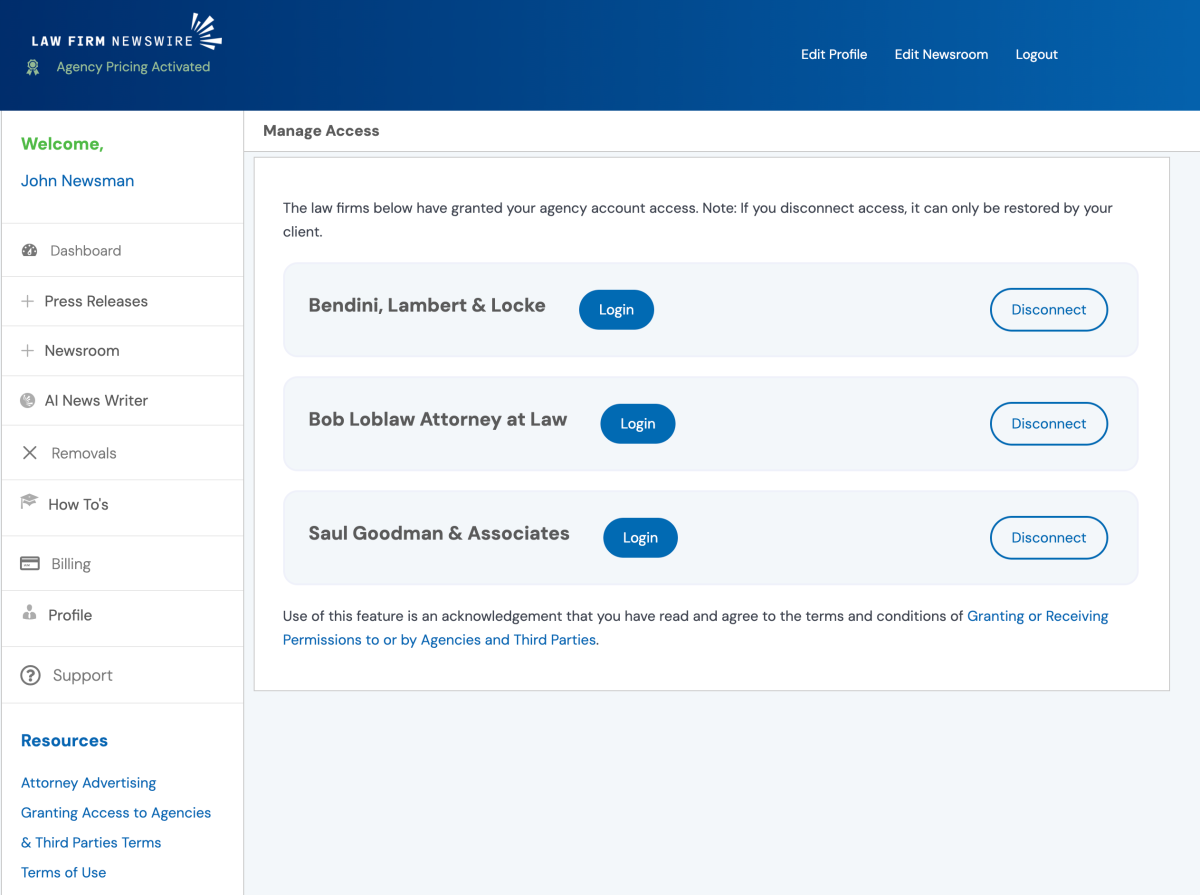
2. You will see a list of law firms that have authorized your agency to access their accounts. Select Login next to the client whose account you wish to access.
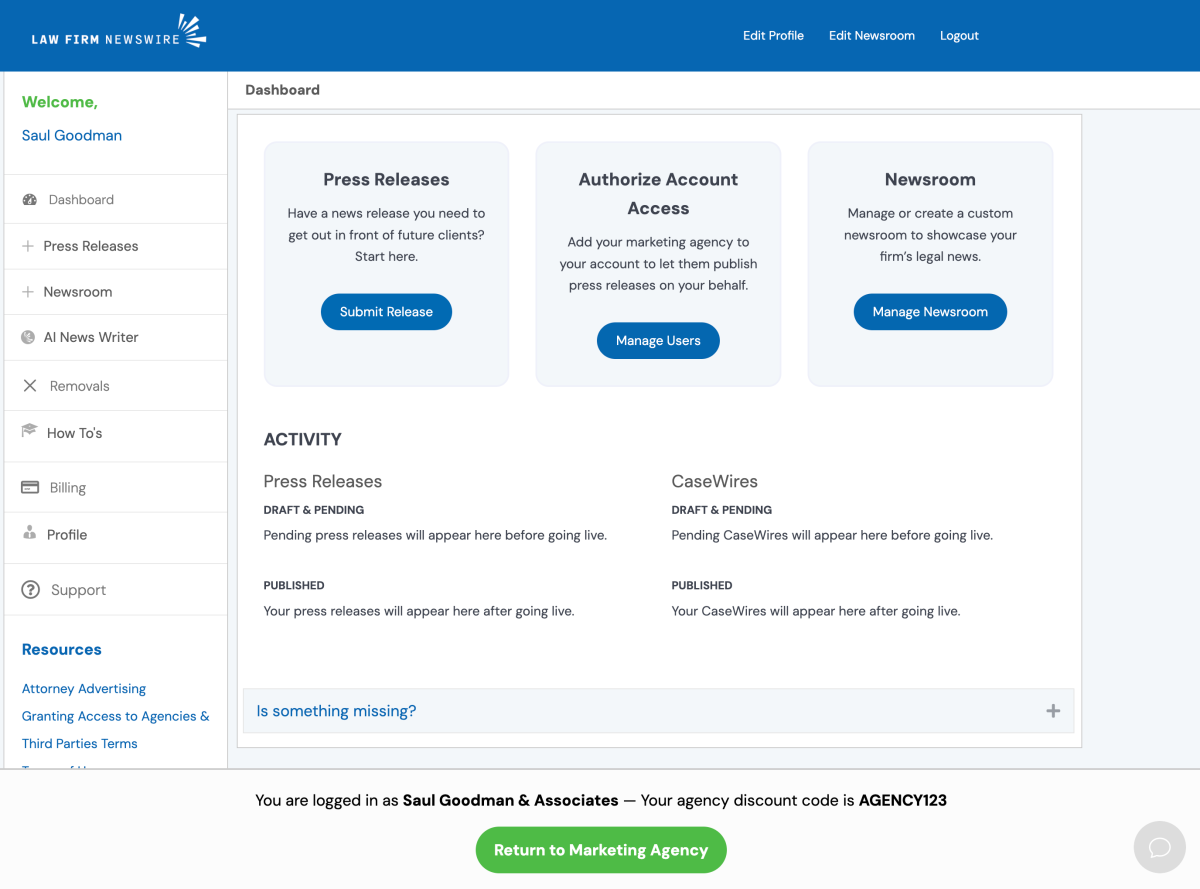
3. You’re now acting as your client in their account. You can now submit press releases, edit their newsroom, view reports, and more!
4. To use your Agency Discount Code or pre-purchased press release packages, follow the usual process for submitting a press release while logged into your client’s account. On the payment screen, add your agency discount code and then click on Apply.
Note: Payment information that you use in your client’s account is not visible to your client. Also, your client’s payment information is not visible to you. However, their invoice records will show that your agency discount was applied to each purchase.

5. After you are done working in your client’s account, click on the green Return to [Your Agency Name] button to return to your agency account and client list.