
Learn: Granting Access to Your Marketing Agency
Learn
Granting Access to Your Marketing Agency
Law Firm Newswire allows law firms and account holders to grant access to marketing agencies.
Granting access to your LFN account will allow an agency to:
- Submit news and press releases on behalf of your law firm.
- Review reports.
- Pay for press releases on your behalf.
- Review invoices and billing records (but not credit card/payment details.)
- Request edits and retractions on your behalf.
- Create and or edit your law firm’s newsroom.
By granting access to your agency, you are essentially permitting them to act as you when sending press releases and lawsuit announcements on Law Firm Newswire’s platform. Use of this feature is an acknowledgment that you have read and agree to the terms and conditions of Granting or Receiving Permissions to or by Agencies and Third Parties.
How to add an authorized agency to your Law Firm Newswire account.
1. Login to your law firm’s account and locate the Profile tab in the left menu. Under Profile, select Manage Authorized Users.

2. On the Manage Authorized Users page, input the email address provided to you by your agency.
Click on Connect after inputting your agency’s email address.

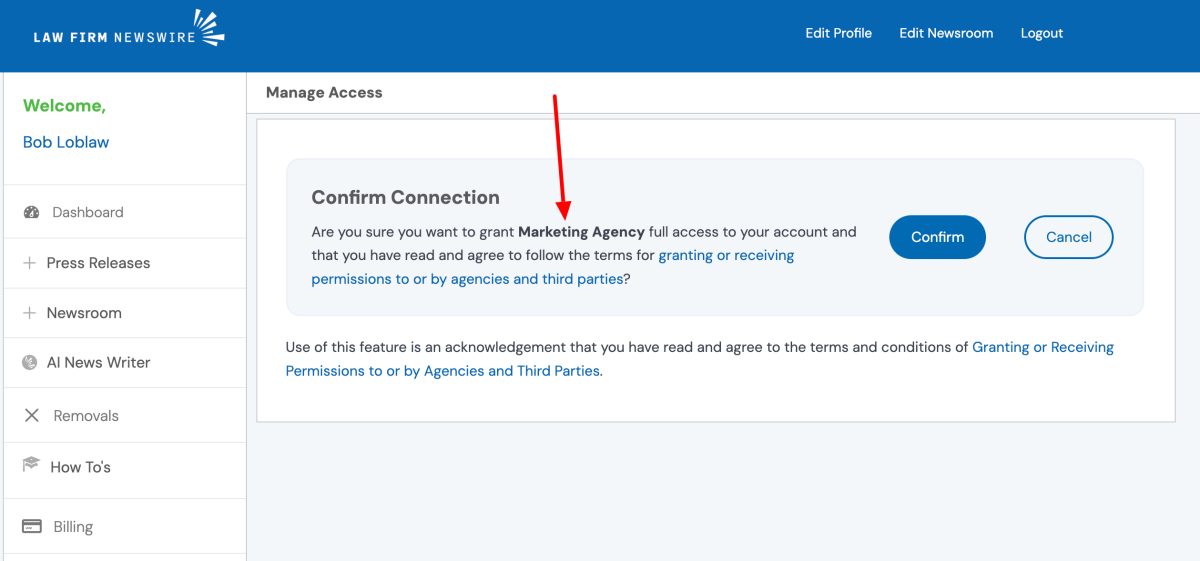
3. Confirm that you want to connect to your agency. On the confirmation page, you will see the name of the agency that will be authorized to access your account. If the name is correct, click on Confirm.
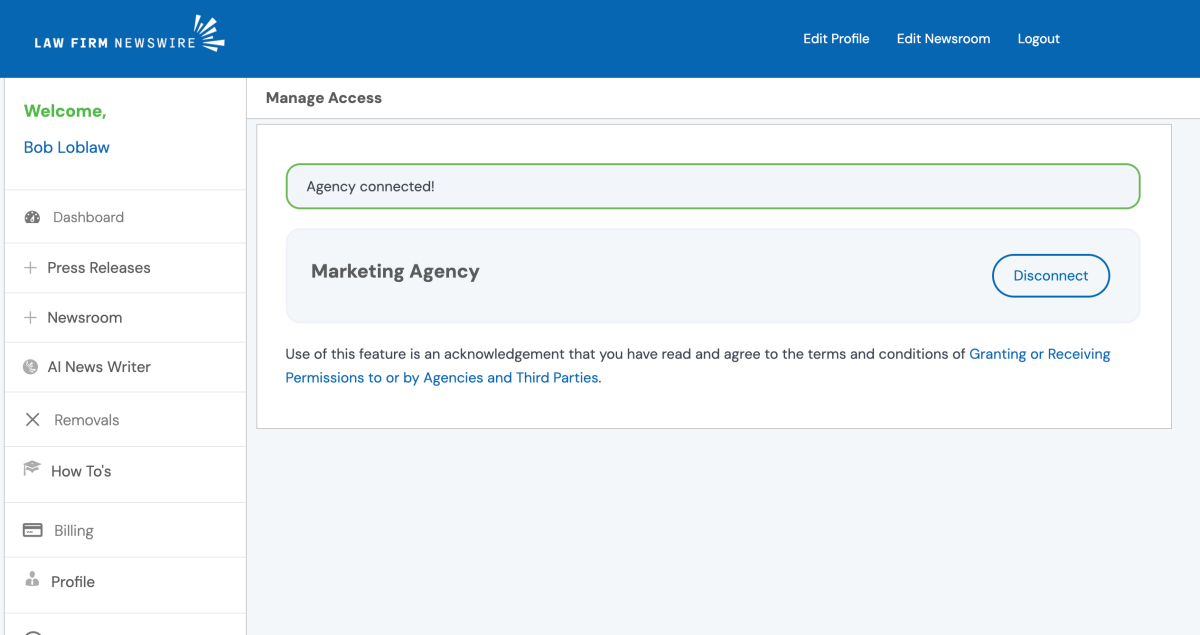
4. You have now authorized your marketing agency to act on your behalf within your Law Firm Newswire account! You will now see your authorized agency listed.
Note: Only agencies approved by Law Firm Newswire can be added to your account. If your agency is not an approved agency, ask them to apply at https://lawfirmnewswire.com/agencies/.