
Learn: Removing Client Accounts from Your Agency Account
Learn
Removing Client Accounts from Your Agency Account
Sometimes you have to part ways with your client. Law Firm Newswire allows users to add or remove agencies from their accounts. However, Agencies can also disconnect a user.
1. Login to your agency dashboard and select Profile and then Manage Authorized Users. You will see a list of your clients that have authorized your agency to access their accounts.
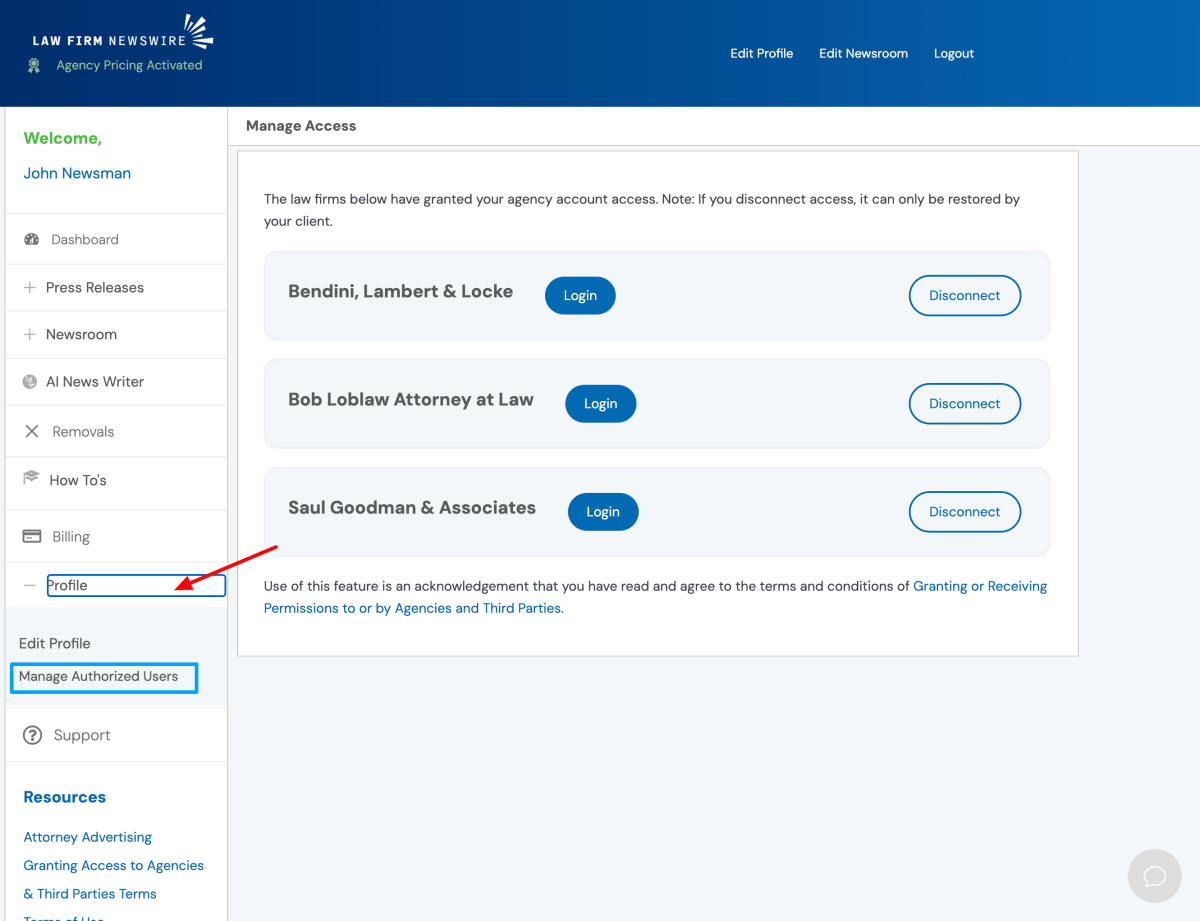
2. Select the Disconnect button located to the far right of the client that you wish to remove from your agency account.
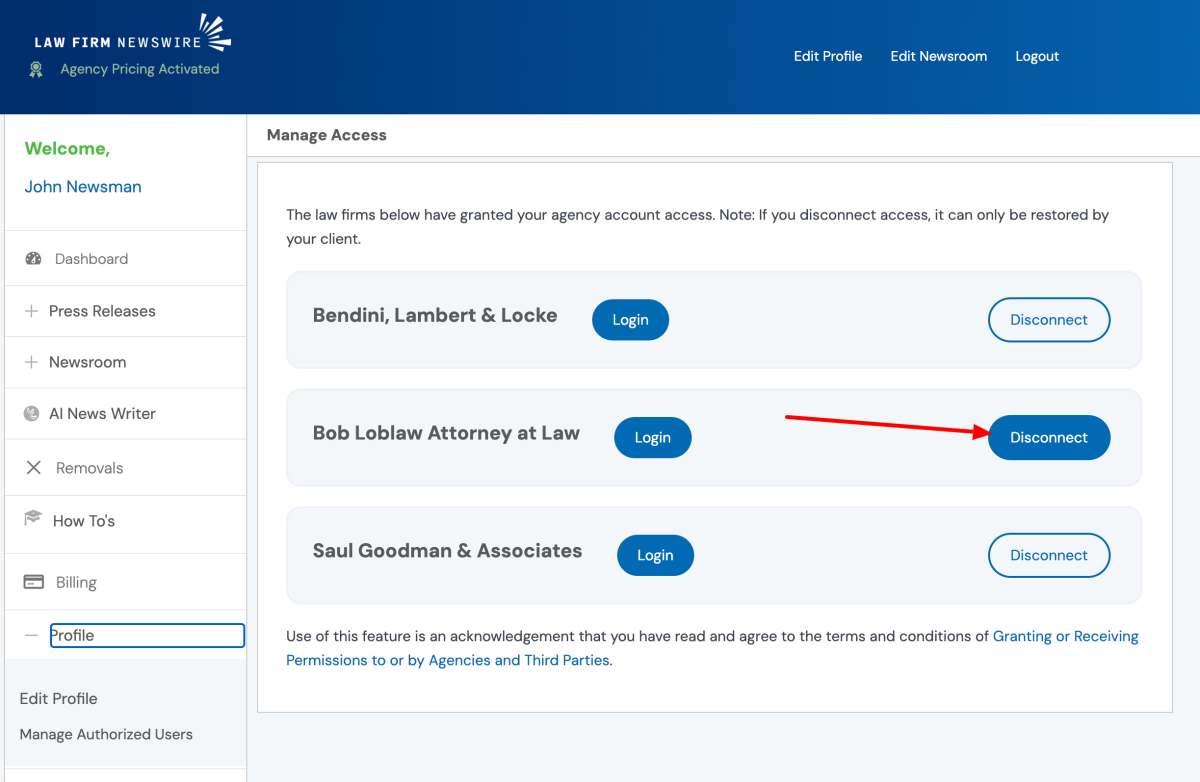
3. Confirm that you are removing the correct account and then select Confirm.

4. The client you removed will no longer be listed on your account or accessible from within your agency account.
